



The power of Portable Case: Unleashing evidence discovery for all investigators
In the fast-paced landscape of digital investigations, the right digital evidence review tool can dramatically influence how quickly and thoroughly evidence is uncovered.
Portable Case (an export included with all Magnet Axiom licenses) stands out as a top choice for investigators without full access to Axiom—such as investigators, prosecutors, legal counsel, or HR personnel— to review forensic case data effectively.
It blends usability with advanced capabilities to allow investigators to quickly surface, organize, and present key digital evidence using dashboards, advanced filtering, tagging, and visual timelines—making the review process efficient and accessible for users of all experience levels.
It also simplifies collaboration by allowing forensic examiners to export a subset of their investigation (artifacts, media, metadata, etc.) into a self-contained package that others can open, explore, and comment on without any specialized forensic software.
But what truly sets Portable Case apart, and why is it so valuable for both experts and newcomers in the forensic field? Let’s explore the benefits that make it indispensable.
An intuitive interface that empowers investigators
Portable Case is celebrated for its straightforward, intuitive interface. Many digital forensic review tools overwhelm users with excessive tabs, making navigation feel complicated and disjointed.
In contrast, Portable Case offers a refreshingly clean interface, allowing users to dive straight into uncovering vital evidentiary artifacts seamlessly. This clarity in design enables investigators to focus on analysis rather than battling cumbersome menus or navigating a disorganized interface, making the process of surfacing key information almost effortless.
Powerful features without the bloat
Thanks to its simplicity, Portable Case doesn’t skimp on functionality. It’s packed with sophisticated tools that address diverse investigative needs.
Here are some of the key features that make Portable Case so effective for investigators of all experience levels:
Case Dashboard: The home base for investigators
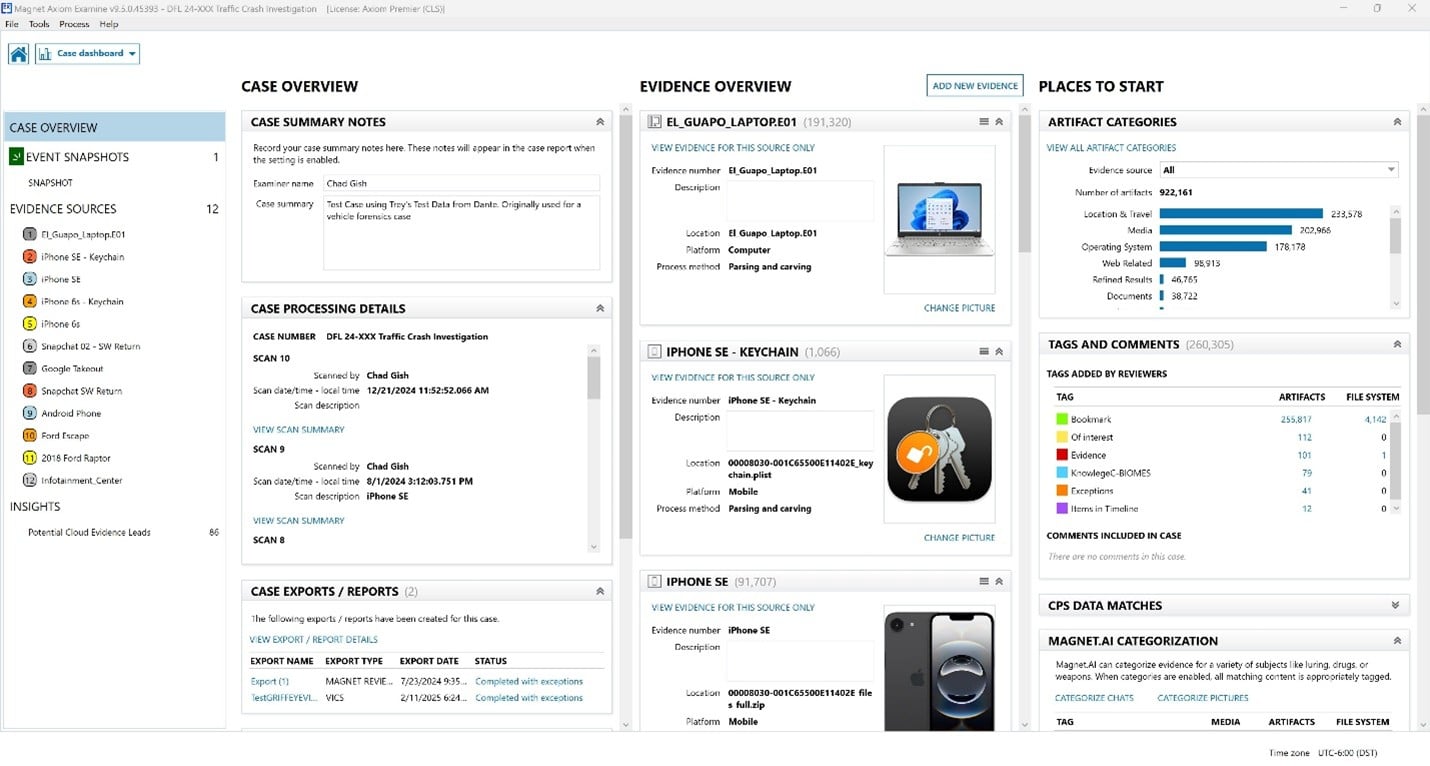
The Case Dashboard in Portable Case acts as the central hub for any investigation, giving users a comprehensive, at-a-glance overview of the entire case. Here’s what makes it so powerful:
- Case overview: Displays essential case details, including summary notes, case number, examiner, scan start/end times, and a scan summary. It also lists all exported reports, making it easy to track documentation and findings.
- Evidence overview: Presents a clear list of all evidence items (like devices or images), their types, processing status, and associated images. This helps investigators quickly see what’s been processed and what’s pending.
- Places to start: Offers quick access to key investigative areas:
- Artifact categories: Visual bar graphs show the types and quantities of artifacts (e.g., system files, user data), helping prioritize review.
- Tags and comments: Summarizes all tags and comments used in the case, making it easy to track leads and collaborative notes.
The robust dashboard provides a centralized view of case progress, evidence, and key metrics, helping investigators stay organized and focused. The dashboard even includes possible cloud data accounts as well as a very robust feature called Event Snapshot.
Take the free Making a Case with Portable Case course
Route View: Effortlessly visualize device movements and track location data
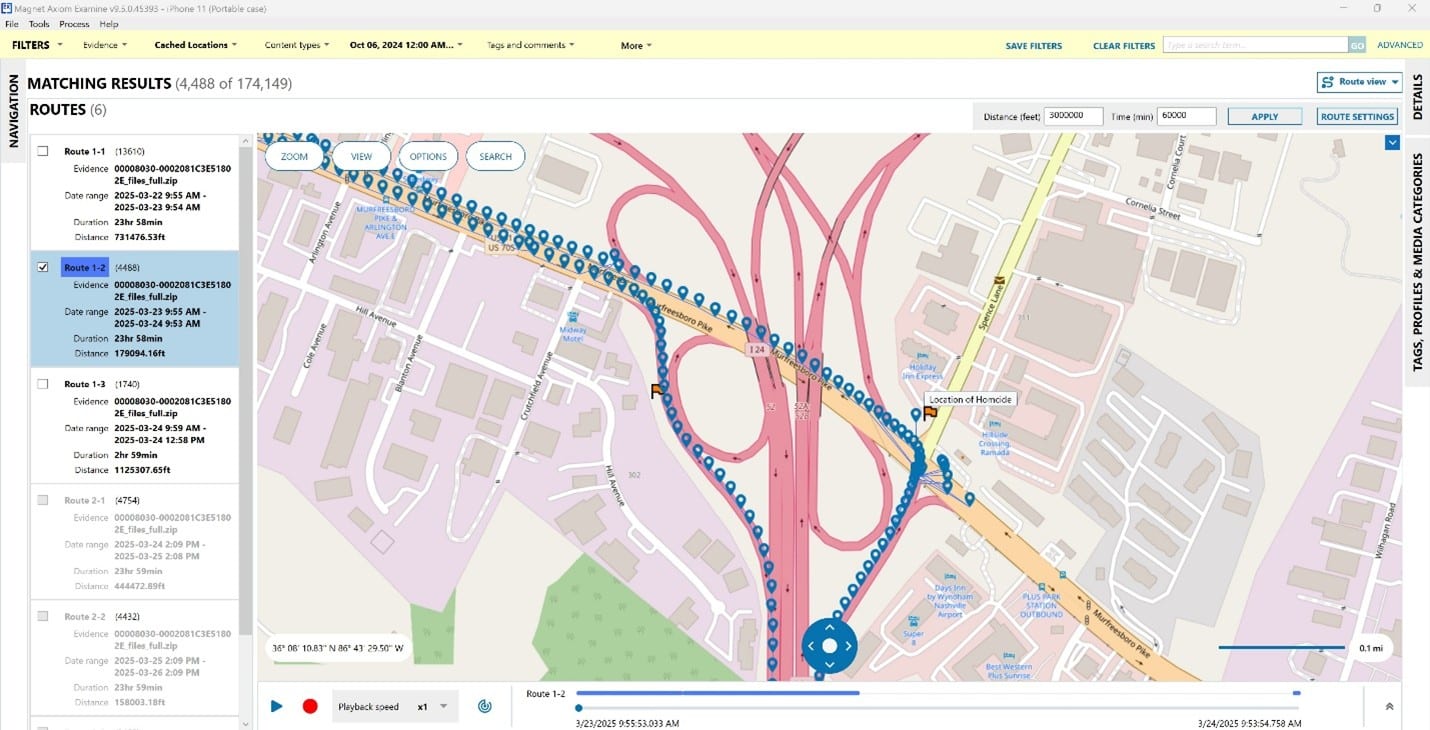
The Route View feature in Portable Case enhances the visualization and analysis of movement patterns, allowing investigators to see hundreds or thousands of trackpoints in a dynamic, interactive format.
Similar to Axiom’s Animated Maps, Route View enables users to “play” routes in real time or at accelerated speeds—making it possible to quickly review extended journeys, such as crime sprees that span days.
- Clarity and comprehension: By animating trackpoints on a map, Route View helps investigators, legal professionals, and jurors better understand the sequence of events leading to incidents such as assaults, robberies, or homicides. This visual narrative makes it easier to reconstruct suspect movements before, during, and after a crime.
- Contextual analysis: Visualizing movement in relation to surroundings provides context that raw data alone cannot. Investigators can assess the path taken, deviations from expected routes, and interactions with key locations—such as crime scenes, victim residences, or areas where evidence may have been discarded.
- Pattern identification: Route View reveals patterns such as casing a crime scene, meeting up with other suspects, or returning to significant locations. For example, repeated stops at a particular address may indicate surveillance or coordination with accomplices.
- Custom tagging for investigative leads: Investigators can create custom tags directly within Route View—such as marking the location of surveillance cameras to be checked, noting when a device stops at a suspect’s address, or flagging areas for evidence collection. These tags streamline follow-up actions and ensure critical leads are documented and shared with the team.
- Compelling evidence presentation: The animated visualization serves as powerful, easily digestible evidence in court, supporting collaboration among investigators, experts, and legal teams. Route View’s dynamic maps help convey complex movement patterns and investigative findings to jurors and stakeholders.
Overall, Route View transforms static location data into a dynamic visual narrative, empowering investigators to analyze and present evidence with greater clarity and impact.
Geolocation for investigation: Visualize User Movements Based on Geolocation Data
Mobile View: Examine mobile device artifacts in a way that mirrors the original user experience
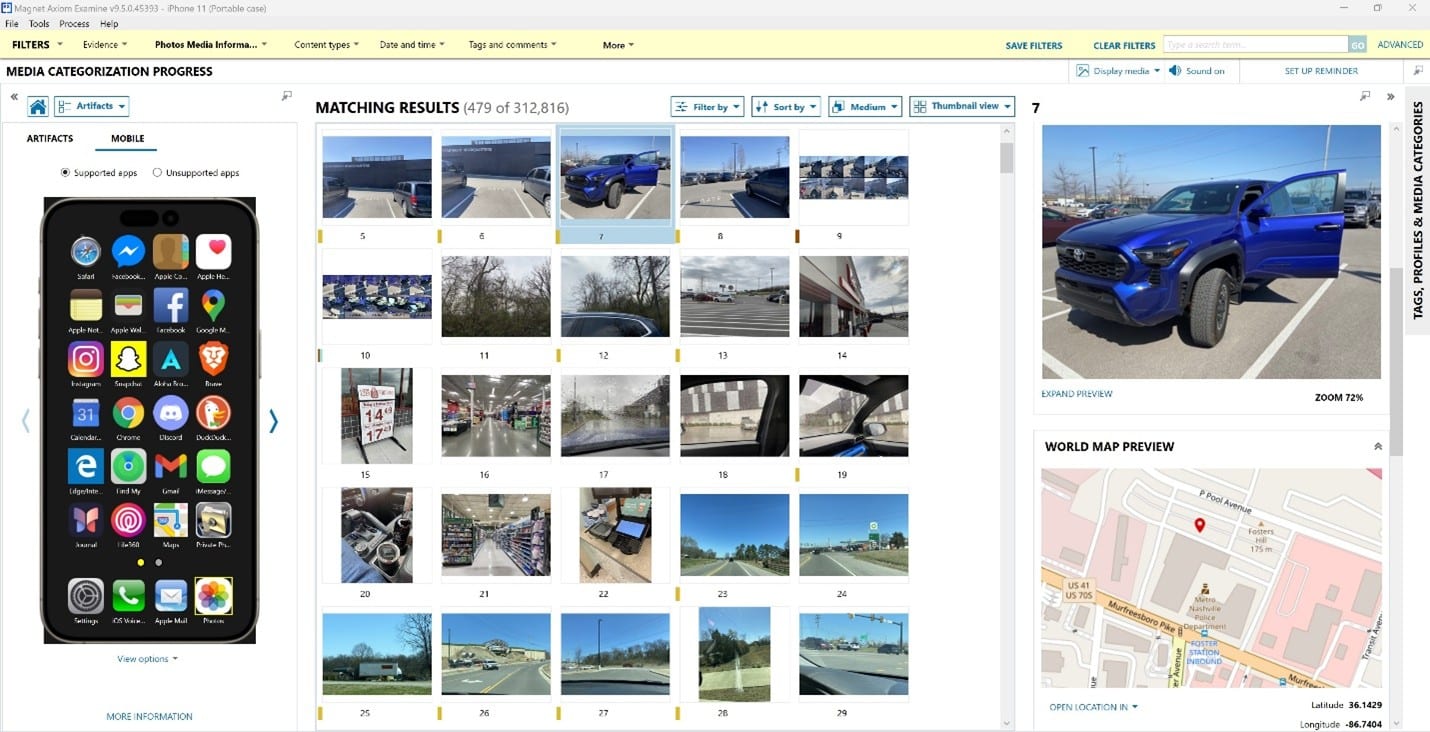
Mobile View makes examining mobile data as intuitive as navigating on the actual phone. A representation of the iOS or Android device being examined is presented in Portable Case, allowing users to select icons for supported apps loaded onto the phone and quickly review the associated artifacts.
Depending on the artifacts you are examining, the additional data presented will automatically adjust using the Axiom views you already know, including the conversation view for messaging applications, the thumbnail view for camera pictures and media, and the column view for data like internet history. The intuitive interface of Mobile View allows your stakeholders to navigate gigabytes of data with the same ease and familiarity as scrolling on their own phone.
Learn about Mobile View: Bring Your Evidence to Life with Mobile View
Timeline: Piece together events across sources for a clear reconstruction of incident chronology
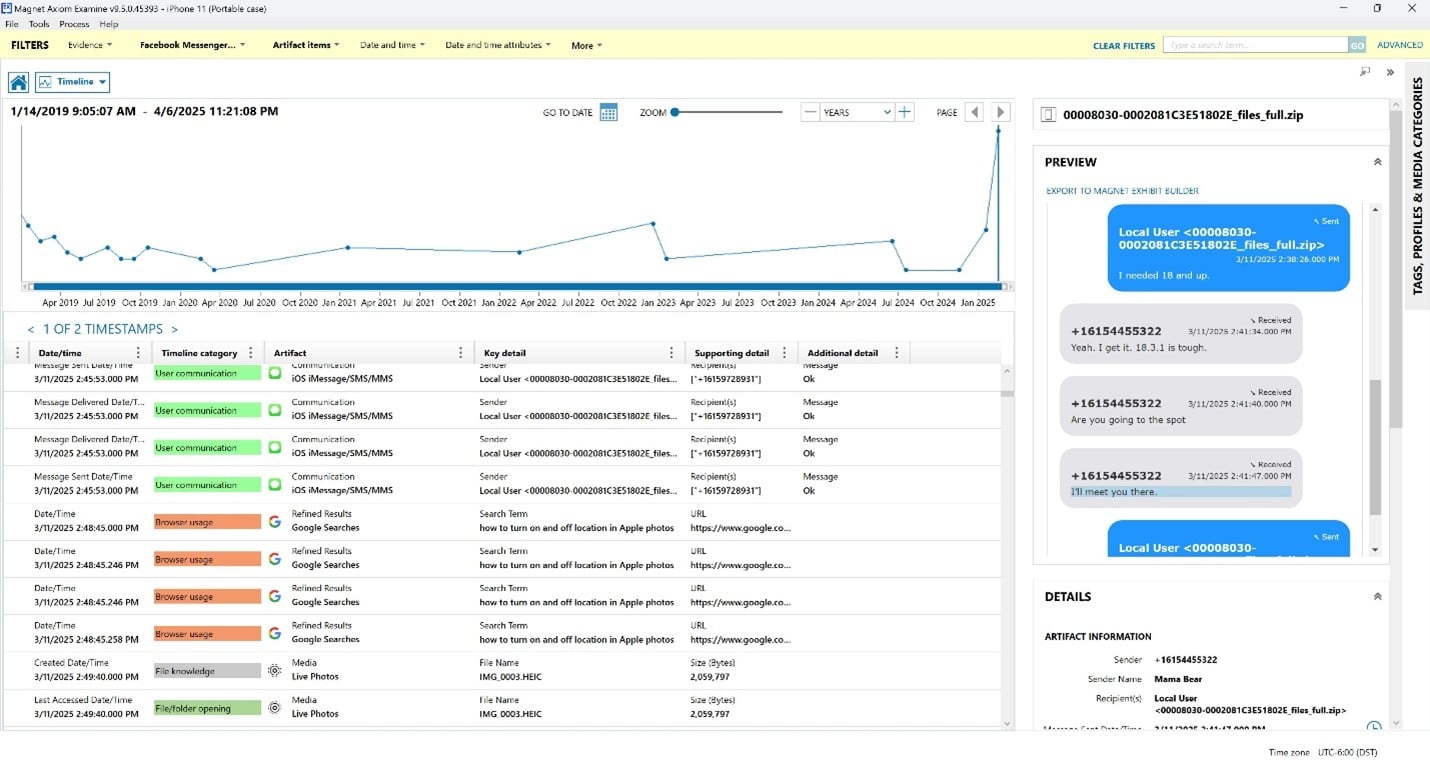
The Timeline feature in Portable Case empowers investigators to piece together events from multiple sources—such as devices, communications, location data, and digital artifacts—providing a clear and comprehensive reconstruction of incident chronology.
By displaying events in chronological order, Timeline helps investigators, legal professionals, and stakeholders understand the flow of actions, identify gaps, and spot inconsistencies in statements or evidence.
- Correlate data across sources: Bring together information from various devices and digital evidence to see how events unfolded before, during, and after an incident.
- Visualize and filter events: Easily filter and zoom in on specific timeframes to focus on critical moments, ensuring that no detail is overlooked.
- Identify patterns and context: Recognize behavioral patterns, coordinated actions, or attempts to conceal evidence by examining the sequence and timing of events.
Overall, Timeline in Portable Case transforms sometimes complex digital evidence into a coherent, visual narrative.
Tagging & comments: Streamline your focus, enhance collaboration
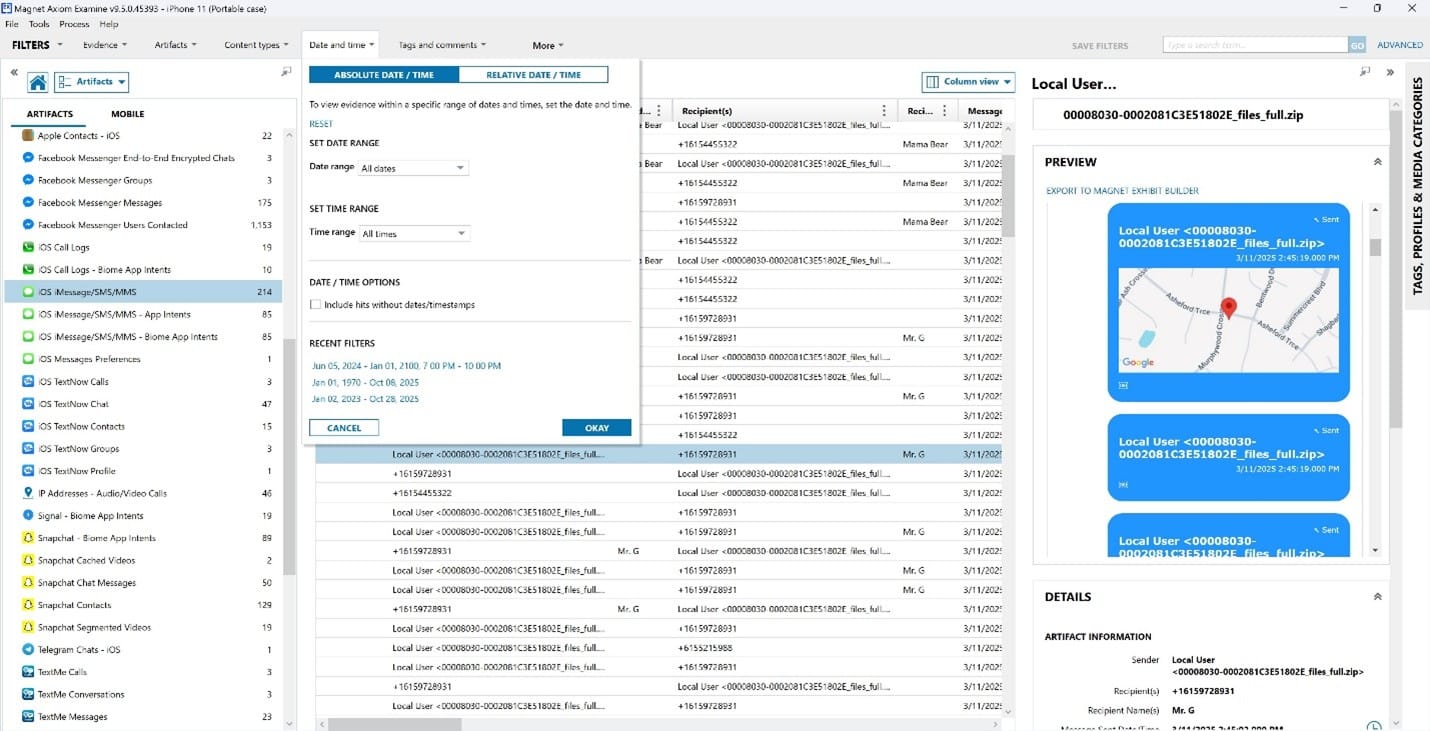
Quickly zero in on the most relevant artifacts using intuitive filters, cutting through the noise with ease. Portable Case offers powerful date and time filtering, allowing investigators to zero in on critical periods within large datasets. The system maintains a history of your applied filters, making it easy to revisit previous searches and refine your focus as the investigation evolves.
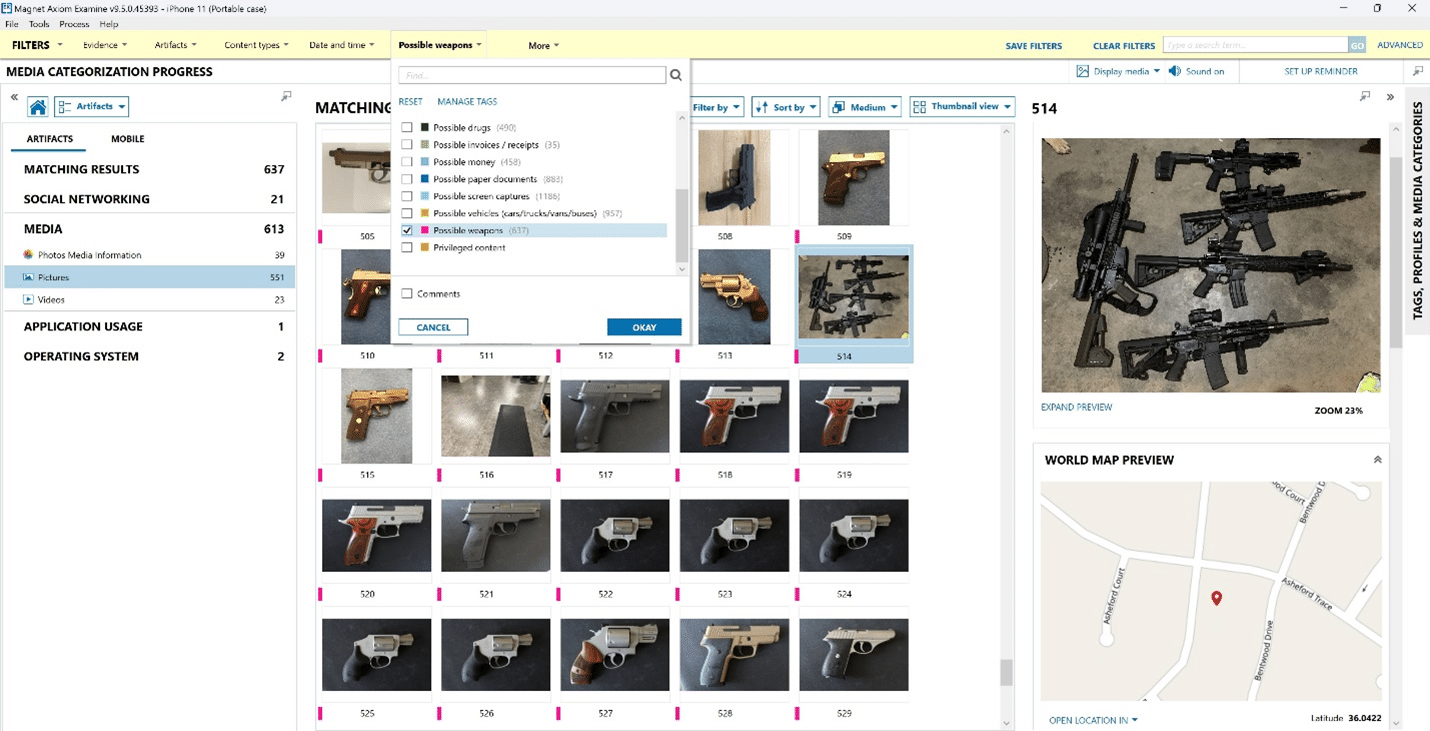
Media Categorization with Magnet.AI: Instantly surface what matters
With Magnet.AI—built directly into Axiom—you’ll have the option to automatically categorize and prioritize media files using accelerating review and surfacing critical evidence faster.
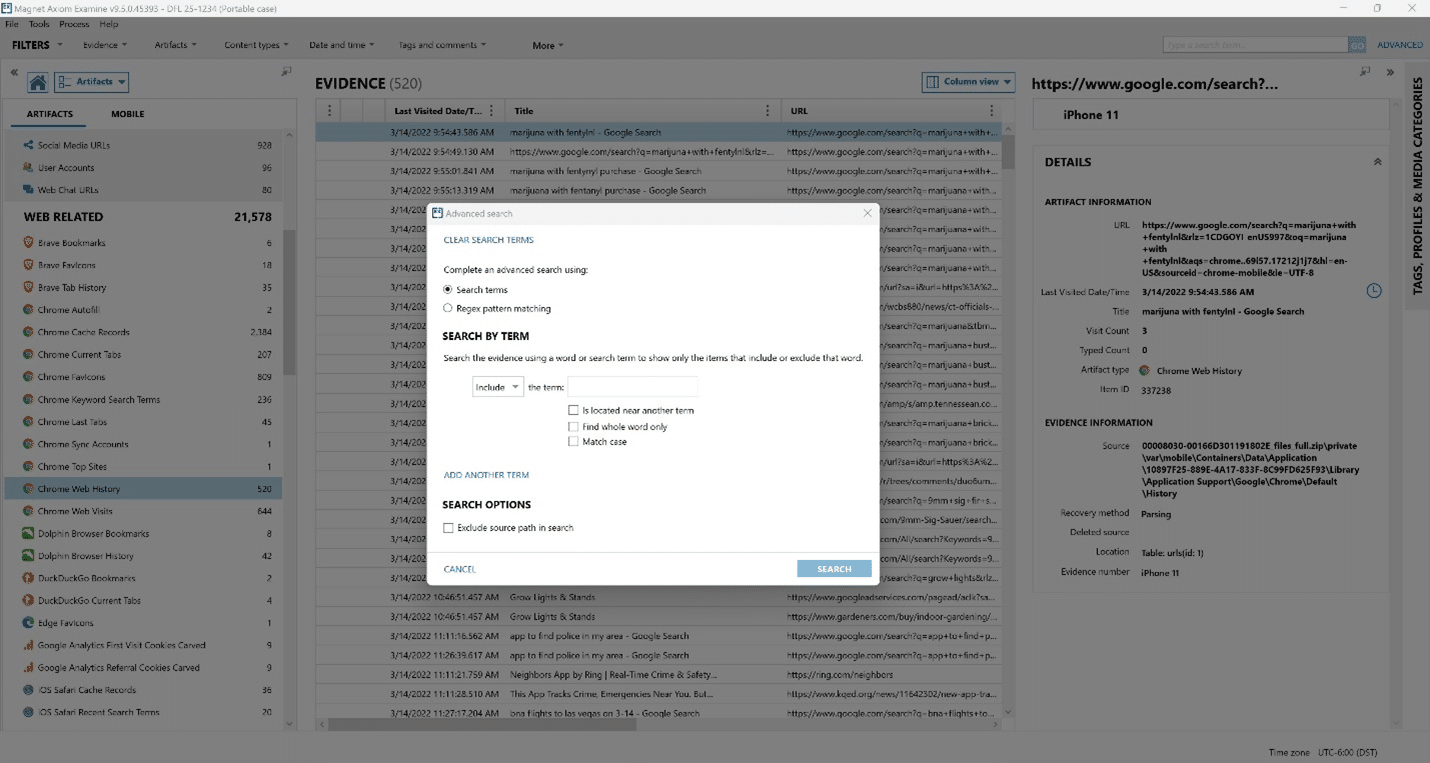
Advanced search capabilities: Pinpoint evidence with precision
Portable Case supports both basic and advanced search, including Regex and proximity searching, and keyword post-processing, enabling investigators to pinpoint relevant data with precision.
Event Snapshots: Focusing investigations with clarity and speed
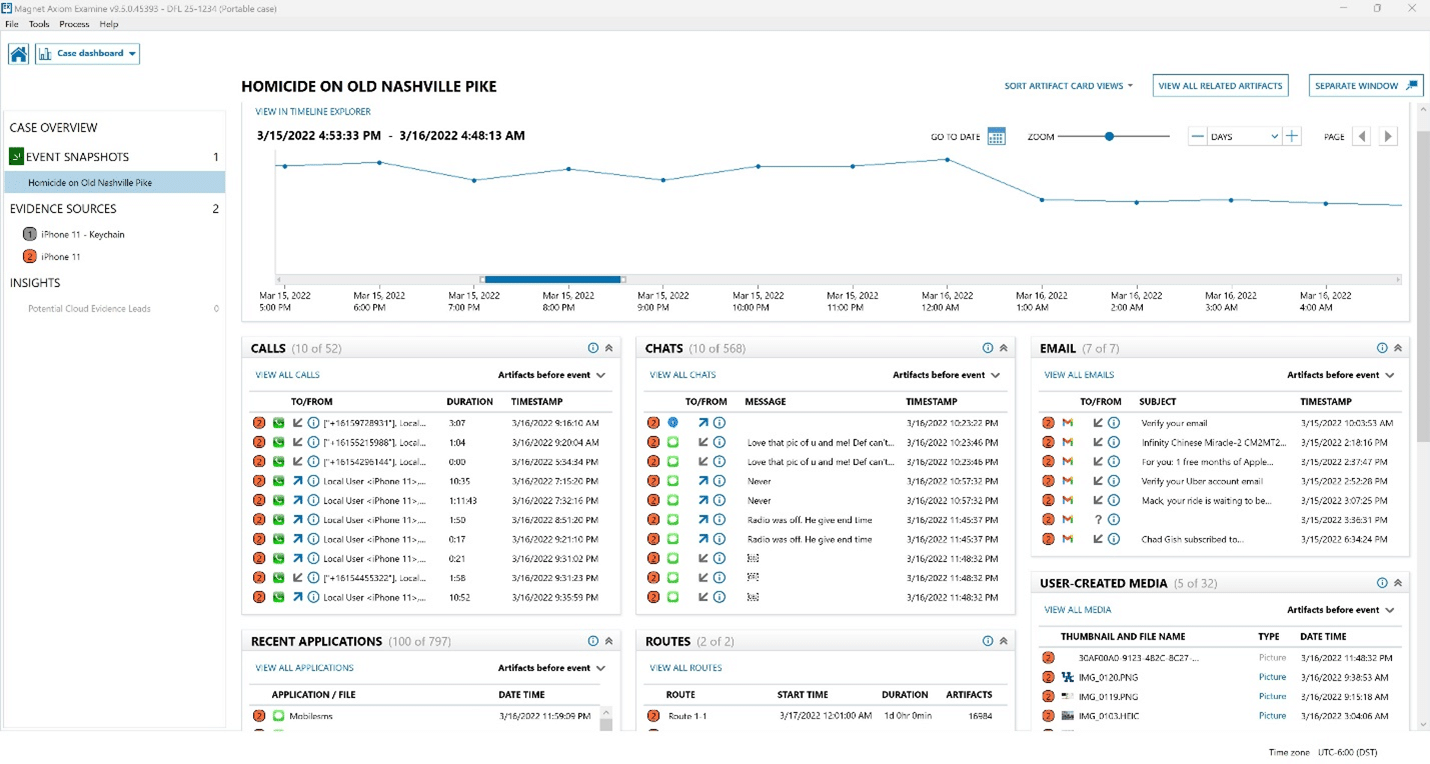
Event Snapshots in Portable Case is a breakthrough, patent-pending feature designed to help investigators and stakeholders quickly zero in on the digital events that matter most. With the overwhelming volume of data in modern cases, knowing where to start can be a challenge. Event Snapshots solves this by providing a visual, interactive dashboard that highlights the most relevant evidence from the timeframe surrounding an incident.
Key benefits and features include:
- At-a-glance insights: The Event Snapshots dashboard distills massive amounts of potential evidence into concise, easy-to-read cards. These cards capture crucial details about an individual’s activities, communications, locations, and behaviors—helping establish timelines, connections, and critical facts that can support or refute claims in legal proceedings.
- Custom dashboards: Investigators can tailor the dashboard to focus on the most pertinent evidence, making it easier to collaborate and share findings with stakeholders.
- Timeline Card: Visualize spikes in activity around the incident with the new Timeline Card, similar to the Timeline Explorer. This helps quickly identify periods of heightened activity or suspicious behavior.
- Calls, chats, and emails: Instantly review the ten most recent calls, chat messages (including third-party apps like Snapchat), and emails before and after the anchor event, with options to explore further as needed.
- Recent applications: See which apps were used around the time of the incident, providing context for user behavior.
- Routes: Animated routes generated from timestamps and geolocation data show subject movements, adding valuable context to investigations.
- User-created media: Focus on media files created on the device, filtering out irrelevant public content to surface evidence likely related to the case.
- Web search history: Review what suspects searched for online—such as names, police releases, or warrants—offering insight into their awareness and intent.
- Multi-screen analysis: Snapshots can be undocked and moved to a separate monitor, allowing investigators to compare evidence side-by-side with the Artifact Explorer for deeper analysis.
Learn more about Event Snapshots: Focus your investigations with Event Snapshots
Each feature in Portable Case is seamlessly integrated, allowing investigators to move effortlessly from broad case overviews to detailed findings fast. This unified design eliminates unnecessary steps and distractions so you can focus on what matters—discovering and presenting evidence with clarity and confidence.
Time to Evidence (TTE): Surfacing what matters most
Magnet Forensics is renowned for its “Time to Evidence” (TTE) approach—delivering essential evidence rapidly by minimizing distractions and irrelevant data.
Portable Case exemplifies this philosophy.
Whether you’re a seasoned examiner conducting deep-dive analyses or a non-technical user seeking actionable results without a steep learning curve, Portable Case ensures you can access what matters most, fast. Its filtering tools are among the easiest to grasp in the industry, making the process smooth and efficient.
Designed for all users
Perhaps the greatest strength of Portable Case lies in its broad accessibility. Power examiners can harness its full suite of features for advanced investigations. At the same time, non-technical users, such as front-line investigators and prosecutors, can review and interpret findings without specialized training. This inclusive design promotes better teamwork and allows insights to be shared clearly and securely with all stakeholders.
For foundational best practices in digital investigations, see the NIST Scientific Foundation Review.
Try Portable Case for yourself
Take your investigations to the next level—leverage Portable Case’s powerful filtering and tagging tools to accelerate your workflow, enhance collaboration, and deliver results with confidence.
Start using these features today and experience the difference in your digital evidence review. Your lab can request a demo of Magnet Axiom and Portable Case here.
If your team already has Axiom, you also have the ability to use Portable Cases, ask your digital forensics lab for Portable Case on your next investigation.